
How to rent by hours ?

SPEAZ
Last Update 3 years ago
You can check all the timeslots you need (for the starting hour), based on weekday
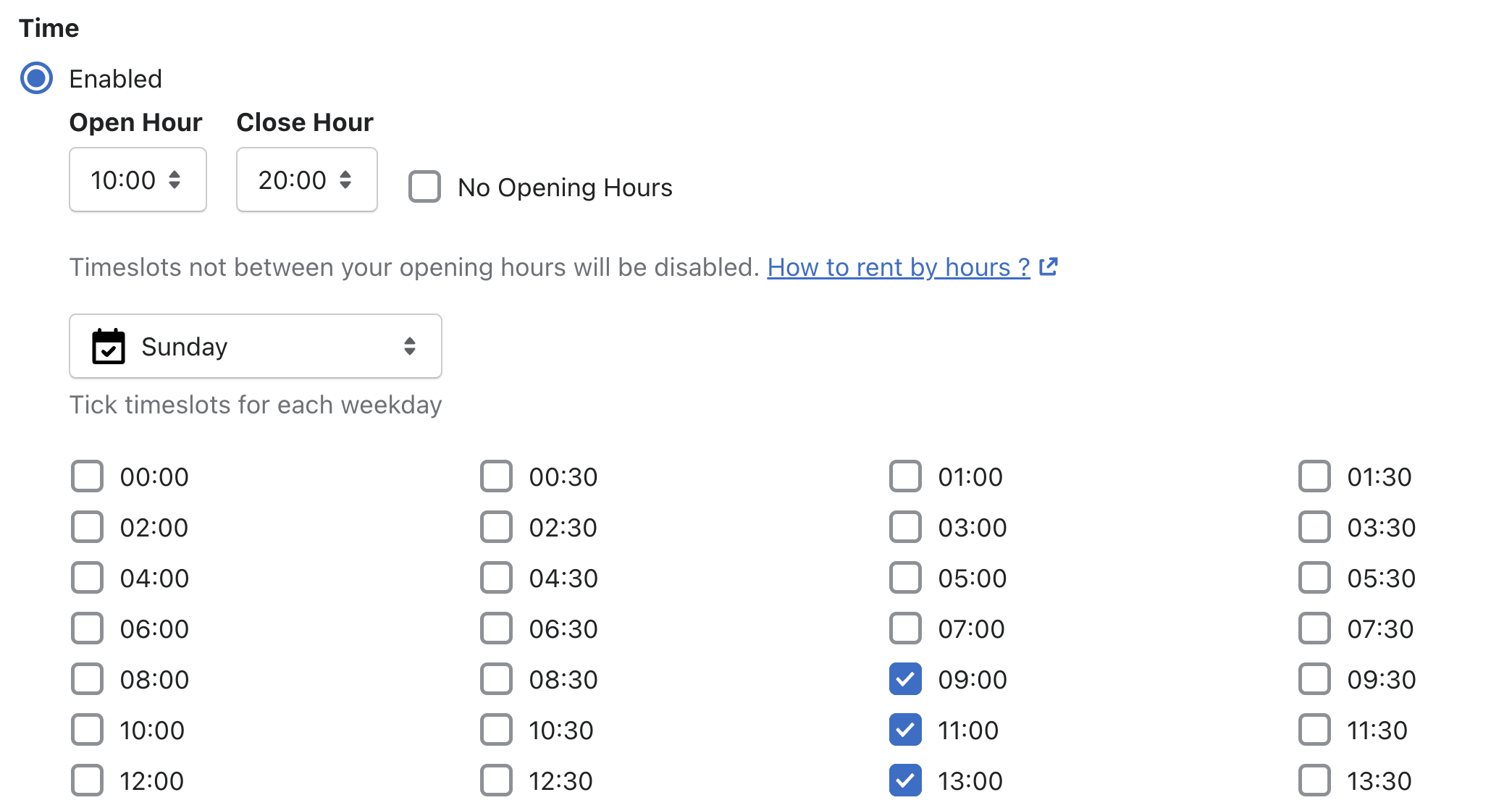
You can also set your Open & Close Hour ! It's means all timeslots not between your opening hours will be disabled.
Also, based on the number of hours picked, if the end of the rent fall on a closed hours, timeslot will be disabled.
So if someone wants to book 2 hours but you close at 20:00 ( 8PM), then the last possible timeslots will be 18:00 ( 6PM)! (if you ticked timeslots)
So if someone wants to book 24/48/72 hours nothing will change! (if you ticked timeslots)
If you dont have closing hours, you can just check the box "No Opening Hours"